GreenGeeks Review 2026: The Best Host for Eco-Conscious Websites
GreenGeeks has built its reputation on being the environmentally friendly hosting option. They claim to offset 300% of their energy consumption and plant a tree with every hosting account. But I wanted to know if the actual hosting service holds up, or if you’re just paying extra for the green branding.
Disclaimer: CloudScoutHQ is supported by its audience. When you purchase through links on our site, we may earn an affiliate commission.
After researching their plans, performance data, and hundreds of user reviews, here’s what I found.
Quick Overview
Overall Rating: 4.3/5
Starting Price: $2.95/month (renews at $12.95/month)
Best For: Small businesses and bloggers who want eco-friendly hosting
Not Ideal For: High-traffic sites needing dedicated resources
Money-Back Guarantee: 30 days
Key Feature: 300% renewable energy offset
Quick Pros & Cons
Pros:
- Legitimate eco-friendly credentials (EPA certified)
- Solid uptime and performance
- Helpful 24/7 support, real people
- Free domain, SSL, and CDN included
- LiteSpeed servers for WordPress
Cons:
- Renewal prices jump significantly (4x higher)
- Basic shared hosting can struggle with traffic spikes
- No staging environment on lower-tier plans
- Setup requires fraud verification call (inconvenient)
What Is GreenGeeks?
GreenGeeks started in 2008 with founder Trey Gardner, who wanted to create a hosting company that actually gave back to the environment. They’re based in Los Angeles and now host over 600,000 websites.
The environmental angle isn’t just marketing speak. For every amperage they pull from the grid, they purchase renewable energy credits for three times that amount through the Bonneville Environmental Foundation. The EPA recognizes them as a Green Power Partner, and they plant a tree through One Tree Planted for every hosting account.
They have data centers in the US (2 locations), Canada (2), Netherlands, and Singapore, which gives you options depending on where your audience is located.
GreenGeeks Pricing & Plans
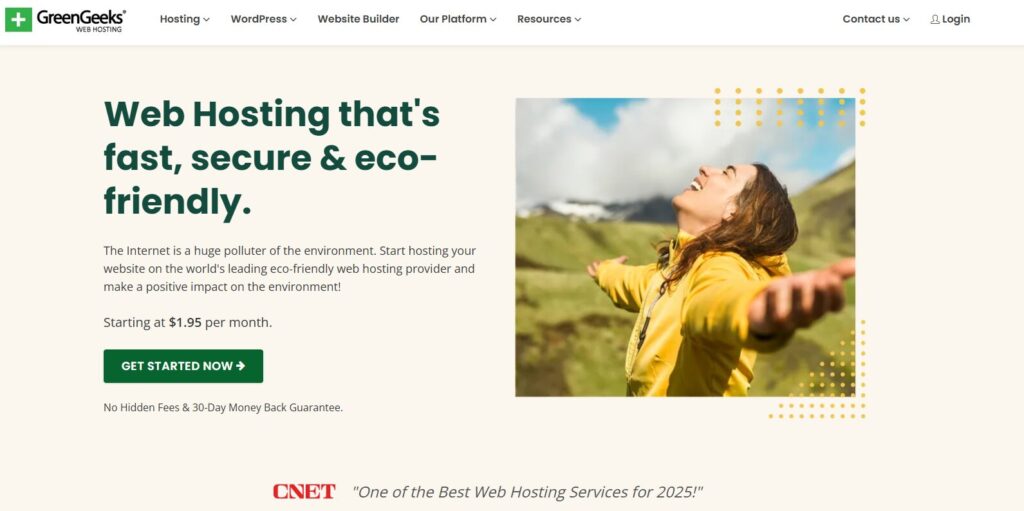
Here’s where things get a bit tricky. GreenGeeks has attractive intro pricing, but the renewal rates are where you need to pay attention.
Shared Hosting Plans
Lite Plan
- Intro: $1.95/month (annual billing required)
- Renewal: $13.95/month
- 1 website, 25GB storage, unmetered bandwidth
- Free domain (first year), free SSL, free CDN
- Daily backups, Free Email
This is your basic starter plan to get you in the door. It works fine for a small blog or basic site, but most people will outgrow it.
Pro Plan (Most Popular)
- Intro: $3.95/month (annual billing required)
- Renewal: $18.95/month
- Unlimited websites, 50GB storage, unmetered bandwidth
- Everything from Lite, plus on-demand backups
- Multi-user access, WordPress repair tool
- 24/7 Support
This is probably where you want to start if you’re serious about your website. The extra storage and ability to host multiple sites makes it worth the small price bump.
Premium Plan
- Intro: $5.95/month (annual billing required)
- Renewal: $30.95/month
- Unlimited websites, 100GB storage, unmetered bandwidth
- Free dedicated IP, premium AlphaSSL certificate
- Object caching for better performance
- 24/7 Support
What’s Included with All Plans
All plans come with:
- Free domain registration for the first year
- Free SSL certificate (Let’s Encrypt)
- Free CDN through Cloudflare
- Daily backups (but restore fees may apply)
- LiteSpeed web servers
- cPanel access
- 300% Renewable Energy Match
- 1 Tree Planted per Customer
The Renewal Price Reality
This is important: that $1.95/month intro price jumps to $13.95/month at renewal. That’s a 600% increase. It’s not a scam, but it can catch you off guard if you’re not paying attention.
Most hosting companies do this, so GreenGeeks isn’t unique here. But their renewal increases are steeper than some competitors. The renewal prices are actually closer to the “real” market rate for what you’re getting.
My opinion: The intro pricing is good value. The renewal pricing is fair for what you get, but not cheap. If you commit to 3 years upfront, you lock in that lower rate for longer. And the renewable energy match is something you just wont get anywhere else.
The Eco-Friendly Angle: Does It Matter?
Let’s talk about the green energy thing, because it’s either going to matter a lot to you or not at all.
What “300% Green Energy” Actually Means
GreenGeeks doesn’t run their servers on solar panels. They purchase renewable energy credits (RECs) through the Bonneville Environmental Foundation. For every unit of energy their operations use, they buy credits for three times that amount of renewable energy production.
They also partner with One Tree Planted to plant one tree for each hosting account. According to their site, they’ve planted over 600,000 trees since they started this program.
Is It Legitimate?
Yes. The EPA has recognized GreenGeeks as a Green Power Partner since 2009. This isn’t some made-up certification. They’re buying real renewable energy credits and supporting reforestation.
Some people on industry forums question whether buying carbon offsets is as good as using renewable energy directly, and that’s a fair debate. But GreenGeeks is transparent about their approach, and they’re doing more than most hosting companies.
And Should You Care?
Depends on your priorities. Web hosting does consume a lot of energy. Data centers use power 24/7, and cooling systems are energy-intensive. If your brand or business cares about sustainability, choosing an eco-friendly host makes sense.
But if you’re just looking for the cheapest or fastest hosting and don’t care about environmental impact, the green credentials probably won’t matter to you.
Performance & Reliability
Here’s what actually matters for most people: does your site stay online and load quickly?
Uptime
GreenGeeks advertises a 99.9% uptime guarantee, and based on third-party monitoring and user reports from the past year (2025), they generally hit or exceed that mark. Multiple independent tests show:
- WPBeginner testing: 100% uptime over their monitoring period
- Cybernews testing: 99.98% uptime over 2 weeks (4 minutes total downtime)
- Straight.com testing: 99.95% uptime over 12 months (about 4 hours total)
- iTech Post testing: 99.97% uptime over 12 months (approximately 2 hours total)
These numbers are solid for shared hosting. There have been isolated incidents where users reported issues during server migrations, but these appear to be exceptions rather than the norm.
Verdict: Uptime is reliable for a shared hosting provider. Not perfect, but good enough for most small to medium sites.
Speed & Load Times
GreenGeeks uses LiteSpeed servers, which is a significant advantage over hosts still using Apache. LiteSpeed is faster and handles traffic spikes better.
According to recent independent testing (late 2025/early 2026):
- WPBeginner: Page loads under 1 second with Pingdom testing, stable performance under stress testing with up to 50 concurrent users
- Cybernews: 1.2 second LCP (Largest Contentful Paint), 1.6 second Fully Loaded Time – both well under recommended maximums
- AllAboutCookies: 422ms average response time with 100% uptime during week-long testing
- WebsitePlanet: 1.2 second Fully Loaded Time on GTmetrix, excellent results for US-based testing
Global performance varies by location. US-based sites load very quickly domestically (under 1 second), but international speeds can slow to 2-3 seconds in distant regions like Australia and Singapore.
The free CDN (Cloudflare) helps with global load times, though some recent users have reported inconsistency about whether it’s still actively offered. Worth verifying when you sign up.
Speed factors:
- LiteSpeed servers (good)
- LiteSpeed Cache plugin for WordPress (very good)
- CDN availability (check when signing up)
- Shared hosting limitations (can slow down with major traffic)
Verdict: Speed is good for the price point. Won’t blow you away, but it’s definitely adequate for most sites. WordPress sites benefit significantly from the LiteSpeed setup.
Data Center Locations
You can choose from six data centers:
- United States (2 locations: Chicago and Phoenix)
- Canada (2 locations: Montreal and Toronto)
- Netherlands (Amsterdam)
- Singapore
Having options is helpful. If most of your visitors are in Europe, hosting in Amsterdam will give you better performance than hosting in the US.
See GreenGeeks Plans & Choose Your Data Center

Key Features
Control Panel
GreenGeeks uses cPanel, which is pretty much the industry standard. If you’ve used web hosting before, you’ll be familiar with it. If not, there’s a bit of a learning curve, but tons of tutorials exist online.
They updated their dashboard in September 2025 to make certain features more accessible directly from the main interface, so you don’t always need to dive into cPanel for basic tasks.
WordPress Integration
WordPress installs with one click through Softaculous. You get:
- Automatic WordPress updates (can be disabled)
- LiteSpeed Cache plugin pre-installed
- Free migration from another host
- WordPress-optimized server configuration
- WordPress repair tool (Pro plan and above)
There’s no built-in staging environment on the lower-tier plans, which is a downside if you want to test changes before pushing them live.
Security Features
All plans include:
- Free SSL certificates (Let’s Encrypt, auto-renewing)
- Daily backups (stored for 30 days)
- Web Application Firewall (WAF)
- Malware scanning
- DDoS protection
One nice touch: GreenGeeks says they’ll help clean your site if malware is detected. Most hosts just notify you and make you deal with it yourself.
However, some users report that backup restores come with fees, even though backups are free. Make sure to clarify this if it matters to you.
Email Hosting
Each plan includes email hosting with your domain. You get:
- Unlimited email accounts
- Webmail access (Roundcube)
- SMTP, POP3, IMAP support
- Spam filtering
There have been some complaints on reviews about email delivery issues, with users needing to configure SPF/DKIM records manually. This is pretty standard for any hosting, but GreenGeeks’ support should help if you run into problems.
Developer Features
If you need more technical access:
- SSH access
- Git version control
- Multiple PHP versions
- MySQL databases
- Support for Node.js, Python, Perl
Not as developer-friendly as some hosts, but decent for most use cases. No Docker support or advanced containerization options.
Customer Support
This is one area where GreenGeeks consistently gets praise based on recent user reviews.
Available Channels
- 24/7 live chat
- Phone support (9 AM – 12 AM EST)
- Email/ticket system
- Knowledge base and tutorials
Support Quality
As of January 2026, GreenGeeks has a 4.6/5 rating on Trustpilot from over 1,500 reviews, with 81% of users giving 5 stars. The support team consistently receives high marks:
Frequent Praise:
- Fast response times (often under 5 minutes for live chat)
- Knowledgeable and patient with beginners
- Actually solve problems instead of just sending knowledge base links
- North America-based support team
- Helpful during migrations and setups
Common complaints:
- Phone support has limited hours (not 24/7)
- Some users report issues being passed between support agents for complex problems
- Occasional communication gaps during server migrations
Recent Trustpilot reviews from December 2025/January 2026 highlight support as a major strength. Users specifically mention quick chat responses, helpful staff, and effective problem-solving.
My assessment: Support quality appears to be genuinely good, especially for a budget host. Not perfect, but better than many competitors in this price range.
Ease of Use
Setup Process
Signing up is straightforward, but there’s one annoying step: fraud verification. Multiple users mention having to wait for GreenGeeks to call them the next business day to verify the purchase. This is understandable from a fraud prevention standpoint, but it’s frustrating if you want to get started immediately.
Once verified, account setup is quick.
Daily Management
cPanel has a learning curve if you’ve never used it, but it’s well-documented. For beginners, GreenGeeks offers:
- Quick Start Wizard
- One-click WordPress installer
- Pre-configured email setup
- Drag-and-drop site builder (SitePad)
For WordPress users specifically, the process is pretty painless. Install WordPress, choose a theme, start building. The LiteSpeed Cache plugin helps with performance out of the box.
Who it’s best for: Beginners to intermediate users. Advanced developers might find it limiting, but it covers the basics well.
GreenGeeks vs Competitors
GreenGeeks vs Bluehost
Price: GreenGeeks intro pricing is similar, but renewal is higher
Performance: GreenGeeks uses LiteSpeed (advantage), Bluehost uses nginx
Support: Both have good support; Bluehost has more robust knowledge base
Green: GreenGeeks wins by default (Bluehost has no environmental program)
Verdict: If eco-friendliness matters, choose GreenGeeks. If you want a more established brand with slightly better resources, Bluehost.
GreenGeeks vs SiteGround
Price: SiteGround is more expensive across the board
Performance: SiteGround has faster speeds and better uptime
Support: SiteGround’s support is considered industry-leading
Green: Only GreenGeeks has environmental credentials
Verdict: SiteGround has better raw statistics, but costs more. GreenGeeks is a good budget alternative if you don’t need top-tier performance.
GreenGeeks vs Hostinger
Price: Hostinger is slightly cheaper with better renewal rates
Performance: Similar performance at this price point
Support: GreenGeeks has better-rated support
Green: Only GreenGeeks is eco-friendly
Verdict: If budget is your main concern and you don’t care about green hosting, Hostinger might save you money long-term. If eco-friendliness matters, GreenGeeks.
Who Should Use GreenGeeks?
GreenGeeks is ideal for:
Environmentally conscious businesses – If sustainability is part of your brand, GreenGeeks lets you back that up with your hosting choice.
Small to medium WordPress sites – The LiteSpeed setup works well for WordPress, and the pricing is reasonable for small sites.
Bloggers and content creators – Good enough performance for blogs without complex functionality needs.
Budget-conscious users – The intro pricing is competitive, and even the renewal rates are reasonable for what you get.
People who value good support – Based on reviews, support quality is above average for this price range.
GreenGeeks is less ideal for:
High-traffic sites – Shared hosting has limitations. Once you’re getting serious traffic, you’ll need to upgrade to VPS or look elsewhere.
Users wanting absolute cheapest renewal – The renewal price jump is significant. Hosts like Hostinger have better long-term pricing.
Advanced developers – Limited developer tools compared to more technical hosts.
People who need immediate setup – The fraud verification call requirement can delay getting started by a day, this does however improve the overall quality of the service.
Anyone needing guaranteed staging environments – Lower-tier plans don’t include this, which is a downside for WordPress users who want to test changes safely.
Final Verdict
Overall Rating: 4.5/5
Alright, after all the groundwork has been set, is GreenGeeks a good choice for you? GreenGeeks is an exceptional mid-tier hosting provider that happens to have excellent environmental credentials. The hosting itself is perfectly adequate for most small to medium websites, with good support and reliable performance.
Strengths:
- Legitimate and meaningful eco-friendly approach (EPA Green Power Partner since 2009)
- Reliable uptime (99.95-100% in recent independent tests)
- LiteSpeed servers benefit WordPress sites significantly
- Support quality consistently praised (4.6/5 on Trustpilot)
- Good feature set for the intro price
Weaknesses:
- Renewal pricing jumps significantly (600% increase, though market-standard)
- Shared hosting limitations become apparent with growth
- Fraud verification process can delay setup by a business day
- Some inconsistency in advertised features (CDN availability)
- No staging environment on lower-tier plans
The Bottom Line
If you’re building a website for an environmentally conscious business or just want to reduce your hosting’s carbon footprint, GreenGeeks is probably your best option. Their environmental commitment is real (300% renewable energy offset, EPA certified, tree planting program), and the hosting service is good enough that you’re not sacrificing quality for sustainability.
The intro pricing is competitive, and while renewal prices increase substantially, they’re in line with what you’d expect for hosting with these features. Just make sure you’re aware of the renewal rates before signing up for short terms.
For small businesses, bloggers, and WordPress sites that don’t need cutting-edge performance, GreenGeeks hits a sweet spot of being eco-friendly, affordable, and reliable.
Is it worth it? If environmental impact matters to you, yes. The green credentials are legitimate, and you’re getting decent hosting in the process. If you only care about getting the absolute cheapest hosting and don’t prioritize sustainability, there are other options that might save you money long-term.
Get Started with GreenGeeks (30-Day Money-Back Guarantee)
Frequently Asked Questions
Is GreenGeeks actually eco-friendly?
Yes. They purchase renewable energy credits through the Bonneville Environmental Foundation to offset 300% of their energy consumption. The EPA recognizes them as a Green Power Partner (since 2009). They also plant a tree for every hosting account through One Tree Planted – over 600,000 trees planted to date. This is legitimate and verified, not just marketing.
How much does GreenGeeks really cost?
The Lite plan starts at $1.95/month for the first term but renews at $13.95/month. Pro is $3.95/month intro, $18.95/month renewal. Premium is $5.95/month intro, $30.95/month renewal. You need to commit to at least a year to get the intro pricing, and the promotional rate applies only to your initial term.
Is GreenGeeks good for WordPress?
Yes, it’s very good for WordPress sites. They use LiteSpeed servers which work well with WordPress, include the LiteSpeed Cache plugin, offer one-click installation, provide free site migration, and have WordPress repair tools (Pro plan and above). Good for small to medium WordPress sites, though you might outgrow shared hosting as your traffic increases significantly.
Does GreenGeeks offer a money-back guarantee?
Yes, 30 days. If you cancel within the first 30 days, you get a refund of the hosting fees at the monthly rate. Domain registration fees and add-ons are non-refundable. You must cancel at least 5 days before your renewal date to avoid being charged for the next term. Make sure you’ve backed up anything important before canceling.
How does GreenGeeks compare to Bluehost?
GreenGeeks has similar intro pricing but higher renewals. GreenGeeks uses faster LiteSpeed servers vs Bluehost’s nginx. GreenGeeks has the environmental angle that Bluehost lacks (Bluehost has no green initiatives). Support quality is comparable on both. Choose GreenGeeks if eco-friendliness matters; choose Bluehost if you want a more mainstream option with slightly more resources.
Can I transfer my existing site to GreenGeeks?
Yes, GreenGeeks offers free site migration with all plans. They’ll transfer your website from your current host at no extra charge. Most users report smooth migrations, though as with any host transfer, you should have complete backups before migrating. The migration is handled by their support team – you just submit a request through your dashboard.
What happens if my site gets hacked?
GreenGeeks includes malware scanning and offers to help clean your site if malware is detected (many hosts just notify you and make you handle it yourself). They also provide daily backups stored for 30 days. However, some users report that backup restores may incur fees even though backups are free, so clarify this with support if it’s a concern for you.
Is GreenGeeks good for beginners?
Yes, it’s beginner-friendly. They use cPanel which has good documentation, offer one-click WordPress installation, updated their dashboard in September 2025 to make it easier, include a Quick Launch Wizard, and have helpful 24/7 support. There is also a free website builder included with all plans. The only annoying part is the fraud verification call that can delay setup by a business day for new customers, but this is for security purposes.